luni, 8 noiembrie 2010

Autocad UCS - Daniel Stefan

Cum desenezii linii paralele in autocad la alte linii care nu sunt drepte, adica unghiul intre acestea si axa OX nu este egal cu zero, ci poate fi egal cu orice valoare 12-15-19-40-80 de grade.

Click dreapta pe bara de sus a autocad-ului apoi ACAD -> UCS,
exact cum se vede mai jos dupa care sarim la figura nr. 2


Apare bara de instrumente de mai jos din care se selecteaza exact ce se vede mai jos, dupa care se da un click pe obiect, fix cum se vede obiectul de mai jos .


Dupa aceasta toate obiectele vor fi paralele la axa OX modificata cu numarul de grade dupa obiectul de mai sus.

joi, 29 iulie 2010

vineri, 23 iulie 2010

Conectare la portul serial COM1, COM2, COM3, etc

Conectare la portul serial COM1, COM2, COM3, etc

Informatia este preluata (adica luata cu copy / paste de pe link-ul de mai jos)
http://www.dialogic.com/support/helpweb/divaclient/dc28.aspx

A terminal program is an application that will enable a PC to communicate directly with a modem. This can be useful to test the modem's availability and diagnose problems. If you are using Windows 2000 or Windows XP, you can use the Windows HyperTerminal program as it is included as part of the operating system.

Connecting To a Remote Computer Using HyperTerminal and Modem AT Commands


Step 1. Check that the device to be tested is correctly installed, connected to the PC, and connected to a working phone line.

Step 2. Load HyperTerminal:

  • Click Start > Run
  • In the box which appears type in: HYPERTRM
  • Click OK.


If you see the error message 'Cannot find HYPERTRM' you will need to install HyperTerminal:

  • Click Start > Settings > Control Panel > Add / Remove Programs.
  • In Add / Remove Programs select Properties and then click the Windows Setup tab.
  • Double-click Communications
  • Check the box for HyperTerminal
  • Click OK, and then OK again to install.
  • Note: You may be asked for your Windows installation disk for this procedure.

Step 3. When HyperTerminal starts you will be presented with a 'Connection Description' dialogue box.


  • Click 'Cancel' to continue.


Step 4. Select your COMPort:

  • Select 'File' then 'Properties' from the menu bar, and the 'New Connection Properties' window will open.
  • Click on the arrow for the 'Connect Using' drop down box
  • Select 'Direct to ComX' (where X is the COMPort you are using to connect the modem. - e.g. COM1, or COM5, etc).
  • Click OK.


Step 5. A blank terminal window will open. You should now be communicating directly between the COMPORT and modem. To confirm this, type in the two letters 'AT' and press 'enter'

  • Type in 'AT' (Enter)

If you are communicating, the modem will reply with 'OK'. If so, proceed to Step 6.


If no 'AT' or 'OK' appears, then there is a basic communication issue between the PC and the modem - most likely the COMPORT selected is incorrect - check this and try again.


If problems persist:

  • Check Windows Device Manager (where available):
  • Check that the Modem is installed
  • Check the COM Port is enabled and has no clashes (indicated by a yellow exclamation mark next to it).
  • Check the COMPORT is enabled in the system BIOS setup
  • Check the software installation - if necessary, try uninstalling and re-installing the Eicon software.


Step 6. To dial a remote modem or ISP with a phone number of '123456' ( for example), enter the following modem commands in the terminal window:
  • Type 'ate1' and press 'Enter'. You should receive an 'OK' as a response.
  • Then type 'atdt 123456' and press 'Enter' (where '123456' is the number of the remote modem or your ISP)


Step 7. The modem will now dial and connect to the remote modem. If the modem gets a dialling tone and proceeds to dial, then the modem and its installation are OK.
Any further problems are simply connection issues with the ISP itself and are beyond the scope of Eicon support. However, try the following:

  • Check that the line itself has a dial tone.
  • Check the ISP number again, and also check if you need to prefix it with a special number to dial out, e.g. '9' is common if calling via a PABX.
  • Check that any area codes and international prefixes are correct.
  • Dial the number using a telephone and see if you can hear the high-pitched noises made by a modem at the other end answering.


Step 8. To disconnect from the remote modem enter three 'plus' signs and then the command ATH:
Type '+++ ath' and press 'Enter'


duminică, 13 iunie 2010

Legislatie privind prevenirea si stingerea incendiilor

Legislatie privind prevenirea si stingerea incendiilor

Nota: Documentele sunt extrase de pe Google.ro. Rolul publicarii pe acest blog este destinat doar in folosirea autorului (Acest blog reprezinta caietul meu online de notite!!! Exemplu: am gasit ceva ce imi este util, in loc sa scriu ceea ce ma intereseaza pe o foaie de hartie pe care o voi pierde sau este posibil sa uit locul unde am lasat-o, intru pe acest blog si o gasesc. Acest blog l-am, realizat doar pentru ca i-mi este mie util !!!)

1.

marți, 18 mai 2010

Autocad Viewport / Viewports - Daniel Stefan

Autocad Viewport / Viewports - Daniel Stefan


luni, 3 mai 2010

Autocad Object Snap - Daniel Stefan

Autocad Object Snap - Daniel Stefan


duminică, 25 aprilie 2010

Schema electrica improvizatie AAR - Daniel Stefan

Schema electrica improvizatie AAR - Daniel Stefan

Schema electrica este realizata cu un contactor cu doua randuri de contacti, doua normal inchise si doua normal deschise, in cazul caderii tensiunii din tabloul general, bobina contactorului nu se mai alimenteaza si cupleaza celelalte doua pozitii ale contactilor, astefl trecad alimentarea lampii de 300 de W pe UPS.


Schema este orientativa, si nu implica nici o raspundere din partea autorului !

vineri, 16 aprilie 2010

Diverse scheme electronice - Daniel Stefan

Diverse scheme electronice - Daniel Stefan

http://www.electronicsteacher.com/ - scheme cu montaje practice

http://www.zen22142.zen.co.uk/schematics.htm - scheme cu montaje practice

http://www.redcircuits.com/ - montaje / scheme electronice


marți, 13 aprilie 2010

luni, 12 aprilie 2010

vineri, 9 aprilie 2010

Schema pentru actionarea unui motor CU DOUA SENSURI de rotatie

Schema pentru actionarea unui motor cu doua sensuri, urcare / coborare


joi, 1 aprilie 2010

Autocad export to excel

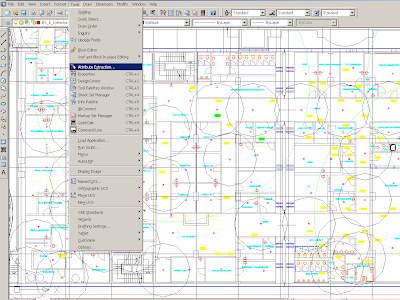
Autocad export to excel - extrage numarul de elemente (block-uri) dintr-ul desen.

layiso - izolare de layer
layfrz - inghetare de layer
_______________________
tlen - .lsp - masoara distantele

;|

TLEN.LSP - Total LENgth of selected objects
(c) 1998 Tee Square Graphics


|;

(defun C:TLEN (/ ss tl n ent itm obj l)
(setq ss (ssget)
tl 0
n (1- (sslength ss)))
(while (>= n 0)
(setq ent (entget (setq itm (ssname ss n)))
obj (cdr (assoc 0 ent))
l (cond
((= obj "LINE")
(distance (cdr (assoc 10 ent))(cdr (assoc 11 ent))))
((= obj "ARC")
(* (cdr (assoc 40 ent))
(if (minusp (setq l (- (cdr (assoc 51 ent))
(cdr (assoc 50 ent)))))
(+ pi pi l) l)))
((or (= obj "CIRCLE")(= obj "SPLINE")(= obj "POLYLINE")
(= obj "LWPOLYLINE")(= obj "ELLIPSE"))
(command "_.area" "_o" itm)
(getvar "perimeter"))
(T 0))
tl (+ tl l)
n (1- n)))
(alert (strcat "Total length of selected objects is " (rtos tl)))
(princ)
)


duminică, 27 decembrie 2009

Poze cu VST testate - Daniel Stefan

Poze cu VST testate (VST = Virtual Studio Technology) - Daniel Stefan - O parte din acestea se vor gasi si in linkurile mai jos mentionate.... Pe acestea am apucat sa le instalez, sa le testez iar apoi sa fac o selectie (nu toate sunt folositoare / utile, multe dintre cele gasite nu mi-au placut adica erau prea slabe)


1. ODDITY - VST PLUGIN
Nota mea pentru acest plugin **** 4/5


2. SYLENTH 1 - LENNAR DIGITAL Nota mea pentru acest plugin ***** 5/5


3. Vanguard Red Nova Virus Nota mea pentru acest plugin **** 4/5

4. Z3TA+ Nota mea pentru acest plugin *** 3/5


5. GEMINI AUDIOXyGEN Nota mea pentru acest plugin ***** 5/5


6. ZERO VECTOR Nota mea pentru acest plugin **** 4/5


29.12.2009


7. Syntheway strings 25 vst Nota mea pentru acest plugin *** 3/5


8. Arturia Jupiter-8v vst Nota mea pentru acest plugin ***** 5/5 cu mentiunea ca acesta este un instrument mai clasic / serios daca se poate spune asa, cel putin asta testat de mine in versiune demo - se poate observa si in poza structura sa.


duminică, 13 decembrie 2009

Computer Management - Daniel Stefan

Computer Management - Daniel Stefan


miercuri, 25 noiembrie 2009

Cum se porneste Apache si MYSQL - Daniel Stefan

Cum se porneste Apache si MYSQL - Daniel Stefan

sâmbătă, 10 octombrie 2009

Un script gratuit pentru blog - Daniel Stefan

Un script gratuit pentru blog - Daniel Stefan - nu am testat inca acest script
O sa revin cu mai multe detalii imediat ce il voi testa. Pentru inceput pare sa fie bun.

http://www.movabletype.com/download/blogger-license.html

joi, 24 septembrie 2009

1 - Var 1 - in cazul in care centrala de alarma poate furniza o tensiune de 24V

1 - Var 1 - in cazul in care centrala de alarma poate furniza o tensiune de 24V


2 - var 2 in cazul in care centrala poate furniza un contact in stare de alarma

2 - var 2 in cazul in care centrala poate furniza un contact in stare de alarma


3 - var 1 - In cazul in care centrala poate furniza o tensiune de 24 V in stare de alarma

3 - var 1 - In cazul in care centrala poate furniza o tensiune de 24 V in stare de alarma

4- varianta 2 in cazul in care centrala poate furniza un contact in stare de alarma

4- varianta 2 in cazul in care centrala poate furniza un contact in stare de alarma


marți, 4 august 2009

Inversarea sensului de rotatie la un motor de curent continuu 12V-24V folosind doua relee si doua butoane normal deschise cu revenire - Daniel Stefan

Schema electrica / electronica pentru inversarea sensului de rotatie la un motor de curent continuu 12V-24V
folosind doua relee si doua butoane normal deschise cu revenire - Daniel Stefan
Sensul de rotatie al motorului de alege in functie de butonul apasat, motorul functioneaza
atat timp cat unul dintre cele doua butoane este apasat.


duminică, 28 iunie 2009

Microsoft excel - Macros - Daniel Stefan

Microsoft excel - Macros - Daniel Stefan


=> Visual Basic Editor


1. Primul exemplu
Sub Auto_Open()
MsgBox "Bine ai venit !!!"
End Sub


2. Exemplul numarul 2


Range(" A1").Value = 154
Range(" A2").Value = 245
Range(" A3").Value = 336
Range(" A4").Formula = "=A1+A2+A3"
Range(" A1").Select

3. Exemplul trei - cum faci un buton verde


urmariti linkul de mai jos:


http://www.excel-vba.com/index.htm

miercuri, 15 aprilie 2009

cum debifezi Use Filter keys - Daniel Stefan

cum debifezi Use Filter keys - Daniel Stefan

luni, 13 aprilie 2009

Cum transformi un viedeoclip de pe youtube in mp3 - Daniel Stefan

Cum transformi un viedeoclip de pe youtube in mp3 - Daniel Stefan

Intri pe link-ul de mai jos, apoi treci in caseta, URL-ul filmului de pe youtube, dupa care se apasa butonul download mp3.

http://listentoyoutube.com/

sâmbătă, 4 aprilie 2009

Cum schimbi numele calculatorului - Daniel Stefan

Cum schimbi numele calculatorului - Daniel Stefan


Cum scoti eroarea de la windows cu Send an error report - Daniel Stefan

Cum scoti eroarea de la windows cu "Send an error report" - Daniel Stefan


joi, 2 aprilie 2009

Pentru downloadat site-uri - Daniel Stefan

Pentru downloadat site-uri - Daniel Stefan

http://www.metaproducts.com/

Offline Explorer Professional Edition

marți, 31 martie 2009